
Scan paper. Search inside the PDF. All on your phone.
Arxa scans your document, recognises the text and saves it as a searchable PDF. It adds signatures and stamps, puts a watermark on ID copies and covers personal data. The app has no internet permission; your documents are not uploaded to our servers.
App facts
- Platform
- Android (Google Play)
- Developer
- EVG Techworks
- Languages
- Turkish, English, German
- Permissions
- No internet, no camera permission
- Account
- Not required
- Price
- Free download; Arxa Pro as in-app purchase
A searchable PDF in three steps.
- 1
Scan
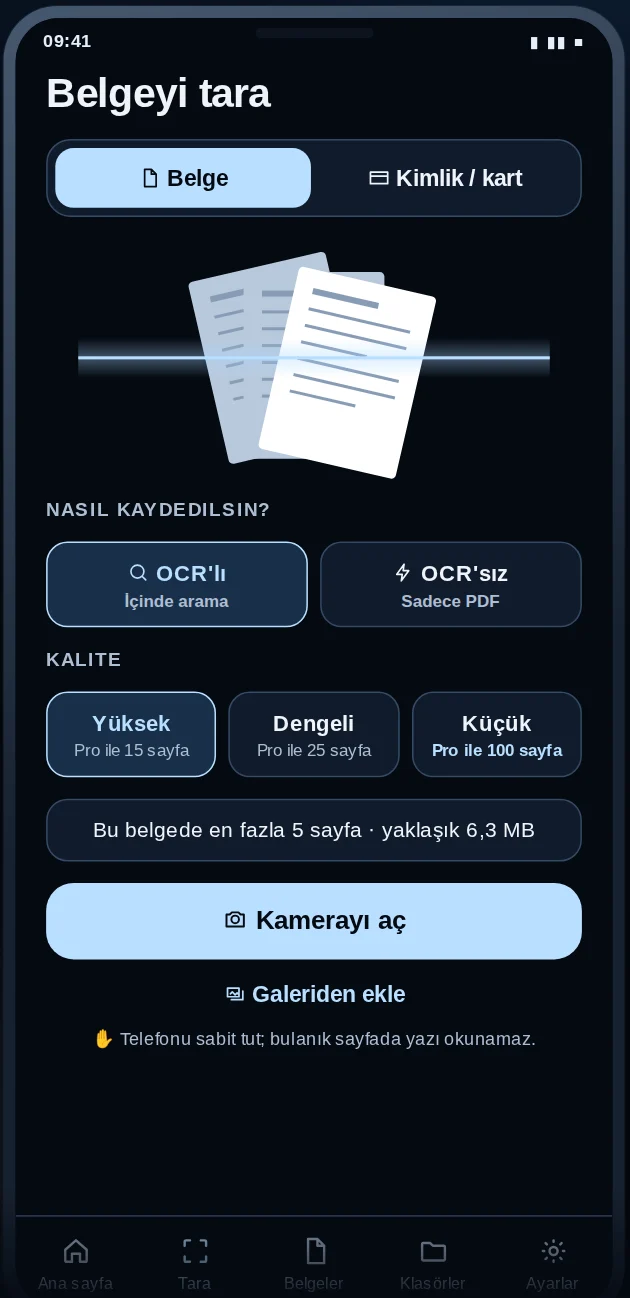
Scan with your phone's own document scanner. Edges are found and skewed pages straightened. Photos from your gallery work too.
- 2
Recognise
The text is recognised on your phone (OCR) and an invisible text layer is added to the PDF.
- 3
Save and search
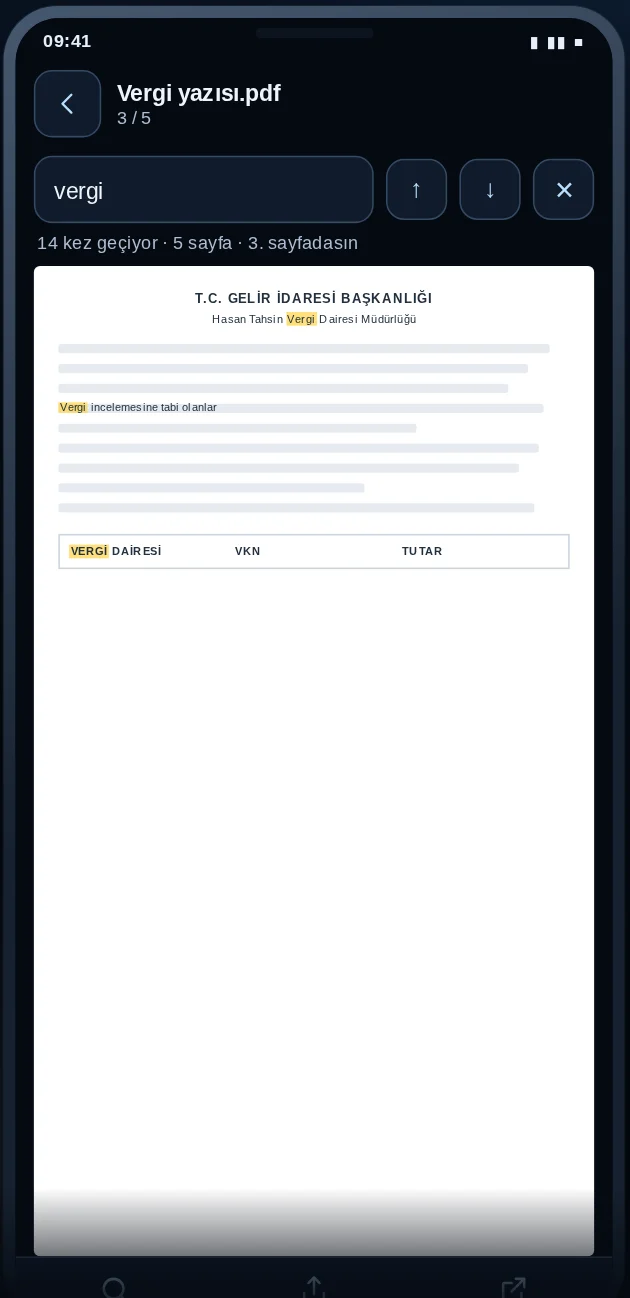
Search for a word inside your PDFs, sort them into folders and share them. Matches are highlighted on the page.
From scanning to sharing, in one app.
Documents, invoices and paperwork; edges found, skewed pages straightened.
Text is recognised on your phone, so you can search inside the PDF.
Front and back at real size on a single A4 page, with a "Dark" setting for black-and-white printers.
Scan them once from paper and place them on any document. This is an image, not an electronic signature.
Add a dated "Valid only for …" note to ID and document copies.
Select ID numbers, IBANs or phone numbers and get a copy where they are permanently covered.
Combine documents into one PDF, or make a new document from selected pages.
Create a copy under 2, 5 or 10 MB for email and upload forms.
Jump to the page where a word appears, with matches highlighted.
Organise documents and search by name or by the text inside.
Fingerprint or device passcode; screenshots are blocked while protection is on.
Your documents are not uploaded to our servers. No ads, no tracking, no account.
With these tools the original document never changes; the result is always a new document.
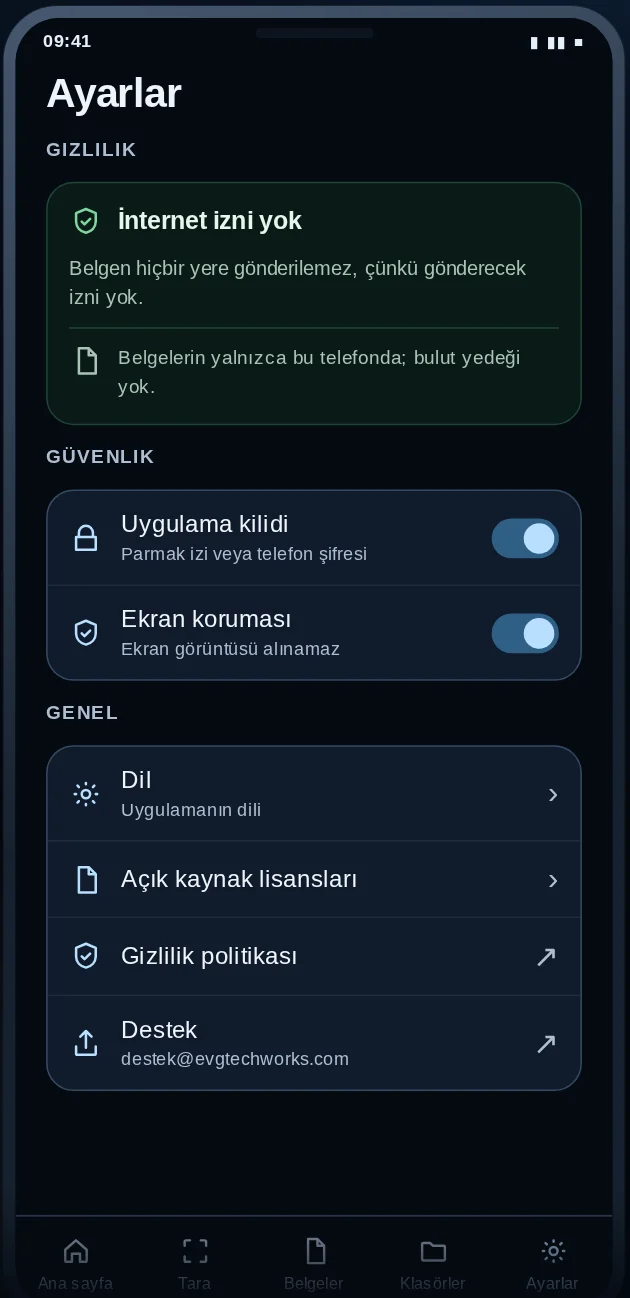
No internet permission. Not a setting: it simply is not in the app.
The internet permission is not on Arxa's permission list. You can check this yourself under Settings > Apps > Arxa > Permissions on your phone. Your documents are not uploaded to our servers and are not used to train AI models. A document only leaves your phone when you share it.
- No account, no sign-up.
- No camera permission; scanning uses your phone's own scanner.
- No ads, no tracking, no analytics.
- Temporary scan images are deleted once the PDF is saved.
ID scanning and watermarks are free. Document work comes with Pro.
Free: ID and card scanning (no limit), watermarks, opening, searching and sharing documents, folders, app lock and screen protection.
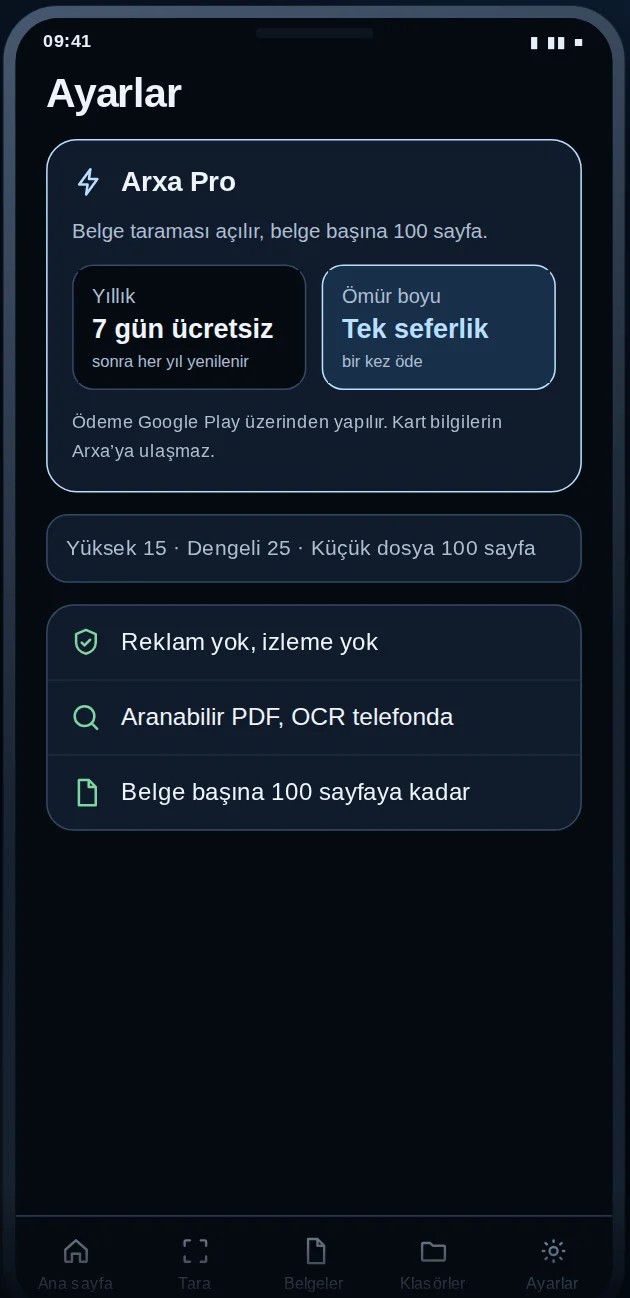
Arxa Pro: document scanning and searchable PDFs, signature and stamp, hiding personal data, merging, splitting and reducing file size. Up to 15 pages per document in High quality, 25 in Balanced and 100 in Small file mode.
Cancel in Google Play > Subscriptions before the trial ends and you pay nothing. Otherwise it renews every year.
Pro stays yours; it does not renew and never asks you to pay again.
Payment goes through Google Play; your card details never reach Arxa. If your subscription ends, your documents stay with you. Current prices are shown on the Google Play listing.
Get Arxa on Google Play.
Free to download. ID scanning and watermarks are free; document scanning and the other document tools come with Arxa Pro (7-day free trial on the yearly plan).
Questions or suggestions? Write to [email protected].
Frequently asked questions
How does it recognise text without internet permission?
The text recognition model runs inside the app, on your phone. Your documents are not sent to our servers for scanning or recognition.
Are my documents backed up to the cloud?
No. Your documents stay on your phone. To back them up, use Share to send a copy to your own computer, cloud or email.
Is the added signature an electronic signature?
No. Arxa places an image of the signature or stamp you scanned from paper. It is not a qualified electronic signature.
Do I lose Pro if I change phones?
No. Pro is linked to your Google Play account; install Arxa with the same account on your new phone and it comes back.
Is there an iPhone version?
Not at the moment; Arxa is available for Android.